Why Chinese Name Formatting on Airline Tickets Causes Confusion
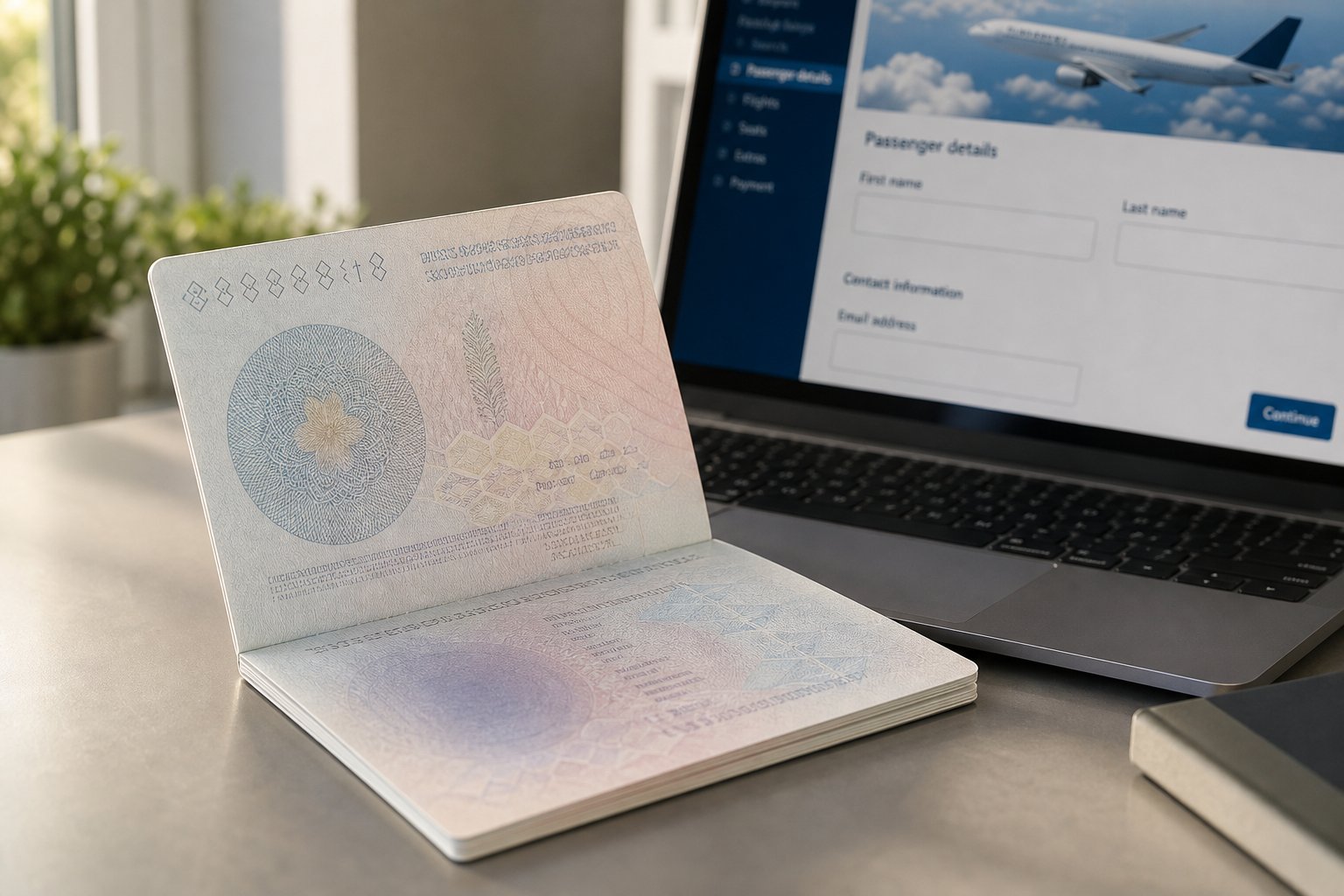
Imagine you are booking a flight online. The form asks for your first name and last name, two neat little boxes designed around the way American first and last names work. Simple enough if your name is John Smith. But what if your name is Wang Xiaoming? Which part goes where, and should that given name have a space in it or not?
This is the exact dilemma millions of Chinese travelers face every time they book a flight. The western-style name fields used by nearly every airline booking system do not map cleanly onto the way Chinese passports present a person's identity. One wrong keystroke, one extra space, one reversed field, and your name ticket no longer matches your travel document.
Why Chinese Name Formatting Matters for Air Travel
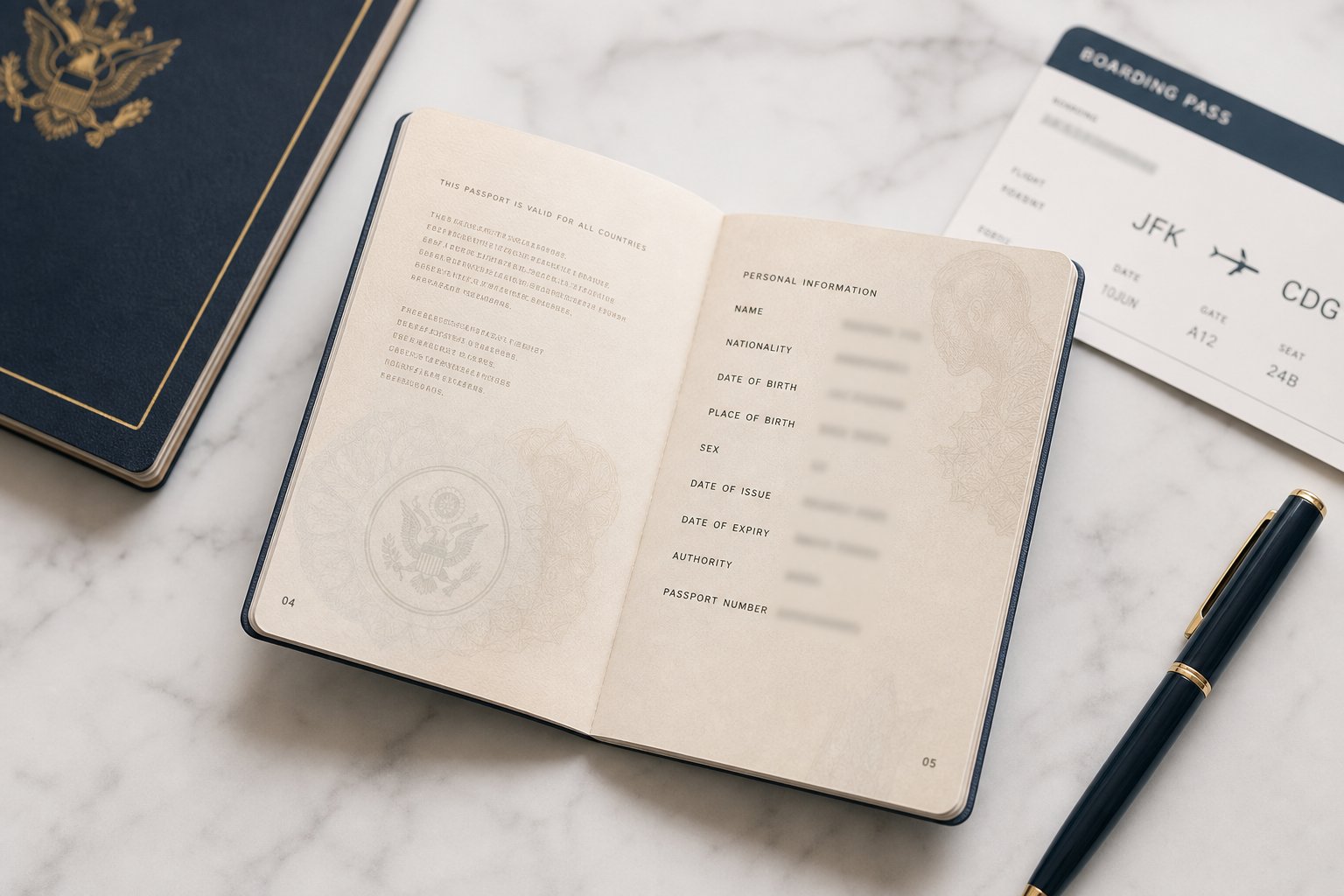
The chinese name airline ticket format refers to how a Chinese citizen's legal name, as displayed on their passport in romanized pinyin, should be entered into airline reservation systems. Get it right and you breeze through check-in. Get it wrong and you could be denied boarding entirely. There is no gray area here for international travel: if the name on your flight passport does not match the name on your ticket, the airline can and will refuse to let you fly.
The name on your ticket must match your passport exactly. Even a small discrepancy, like a missing letter or reversed name order, can result in denied boarding at the gate.
This is not a hypothetical risk. Airlines enforce strict name-matching policies, and most will not change a name on a ticket without fees or a full rebooking. The 24-hour cancellation window offers a brief safety net, but beyond that, fixing a name error becomes expensive and stressful.
What Makes Chinese Passport Names Different
Chinese names follow a structure that is the reverse of most Western naming conventions. The family name (surname) comes first, followed by the given name. Most Chinese surnames are a single syllable, like Wang, Li, or Zhang, while given names are typically one or two syllables.
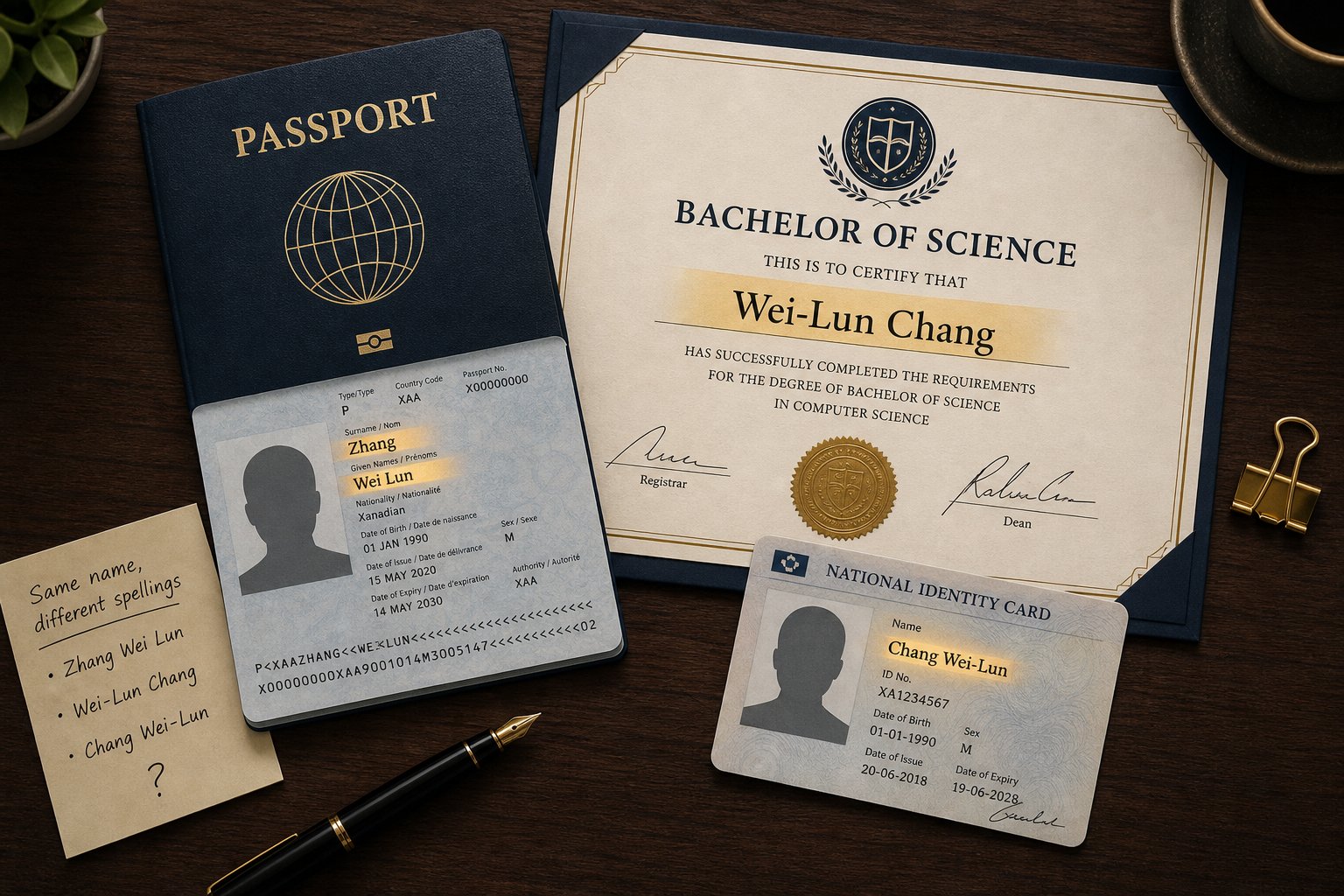
On a Chinese passport, the name appears in romanized pinyin with the surname in one field and the given name written as a single concatenated string without spaces. So a person named Wang Xiaoming in everyday use will see their passport display the surname as WANG and the given name as XIAOMING, all one block, no space between "xiao" and "ming." This concatenation is where the confusion starts. When a booking form asks for a "first name," many travelers instinctively type XIAO MING with a space, or even enter their given name in the surname field because it appears first in Chinese convention.
The stakes are real. This guide walks through exactly how Chinese passport names are structured, how different airline systems interpret them, the most common booking mistakes, and what to do if something goes wrong. Whether you are a Chinese traveler booking your own flights or helping someone else navigate the process, understanding the correct format before you hit "confirm" is the single best way to avoid problems at the airport.
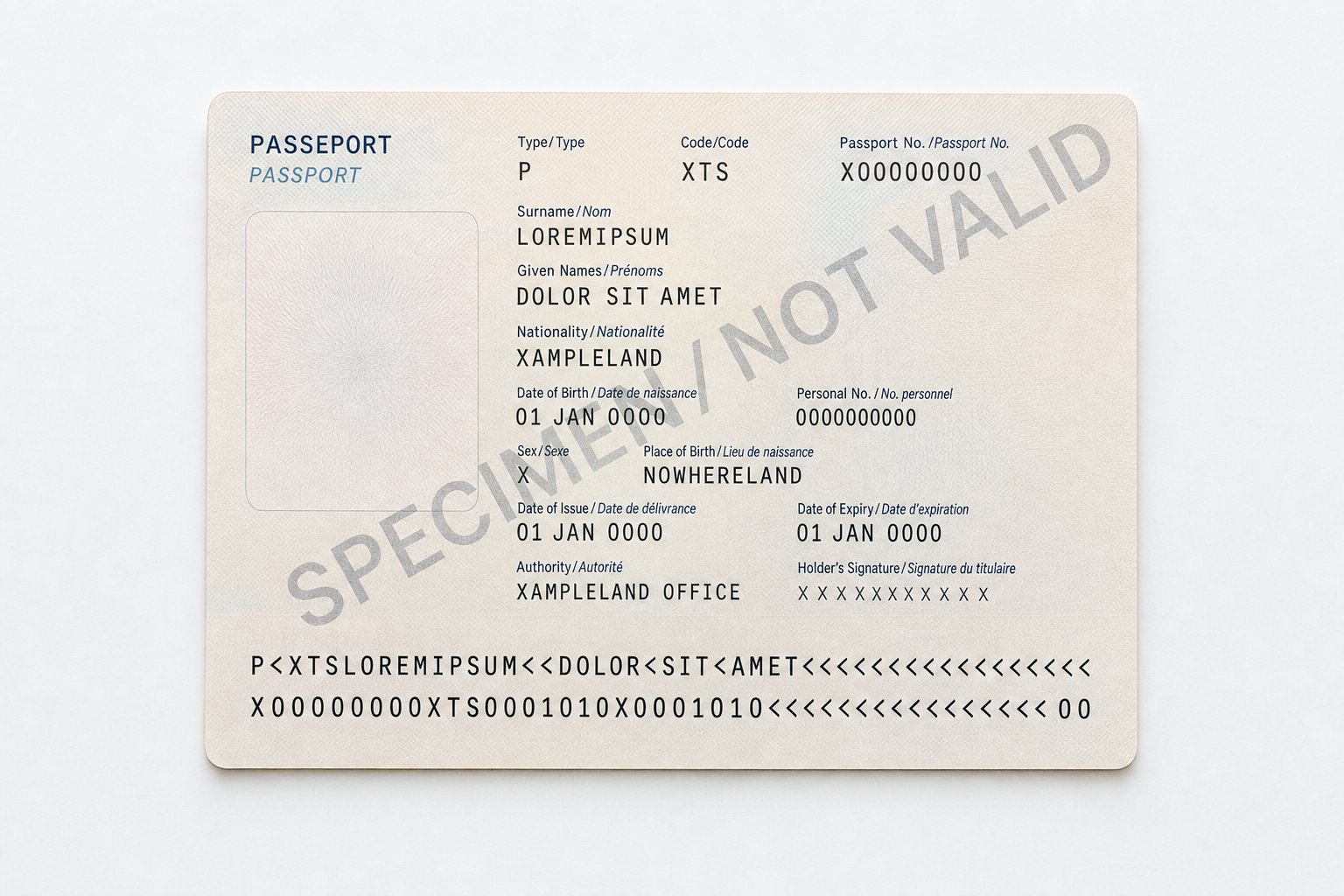
How Chinese Passports Display Names in Pinyin
Every passport issued around the world follows a shared set of rules. These rules determine how your name appears in print, how it gets encoded into the machine-readable strip at the bottom of your data page, and ultimately how airlines read that name when you check in. For Chinese passport holders, these rules dictate a very specific pinyin format that becomes the single source of truth for every ticket name you will ever book.
How Chinese Passports Romanize Names Under ICAO Rules
The International Civil Aviation Organization (ICAO) publishes Document 9303, the global standard for machine-readable travel documents. Every country that issues a passport, including China, must follow these specifications. The standard defines two name fields on the passport data page: a primary identifier (surname) and a secondary identifier (given names).
China's Ministry of Public Security applies these ICAO rules through the Hanyu Pinyin romanization system. When a Chinese passport is issued, the holder's name is converted from Chinese characters into pinyin following a consistent pattern:
- Surname field: The family name is written in capital letters as a single pinyin string. For a common surname like 王, this becomes WANG.
- Given name field: All characters in the given name are concatenated into one unbroken string with no spaces, no hyphens, and no punctuation. So 小明 becomes XIAOMING, not XIAO MING or XIAO-MING.
This concatenation rule is not optional or a stylistic choice. It is the official standard applied uniformly across all Chinese passports. When a booking form asks "name input what is your name," the answer for a Chinese passport holder is always whatever appears in these two fields, exactly as printed.
Consider a traveler named 张伟丽 (Zhang Weili). Her passport will show the surname as ZHANG and the given name as WEILI. Not WEI LI. Not WEI-LI. Just WEILI. This is the authoritative format that every airline ticket must reflect, regardless of how the traveler might write their name in daily life or on social media.
The Machine-Readable Zone and Name Fields
Flip to the bottom of any Chinese passport's data page and you will see two lines of text filled with letters, numbers, and chevron characters (<<<). This is the Machine-Readable Zone, or MRZ. It is what airport scanners actually read when processing your document.
In the MRZ, the name is encoded in a specific format: surname first, followed by a double chevron (<<) as a separator, then the given name. Any unused space is filled with single chevrons (<). So for our traveler Wang Xiaoming, the MRZ line begins with: WANG< Here is how the full name mapping works from Chinese characters to what appears on the passport and in the MRZ: You will notice the MRZ uses the double chevron (<<) purely as a field separator between surname and given name. It does not represent a space within either name. This is why airlines that scan your passport electronically will always see your given name as one unbroken string. This MRZ encoding is the definitive reference. When you book a flight and the china airlines name field or any other carrier's form asks for your given name, the correct entry is the exact string from your passport's given name field: no creative spacing, no preferred spellings, no English nicknames. The MRZ is what gets matched against your ticket at the gate. The passport sets the standard. But what happens when that clean, concatenated name meets the messy reality of dozens of different airline booking systems, each with its own field labels and character rules? That is where things get complicated. Your passport presents your name in two clean fields: surname and given name. Airline reservation systems, however, were largely designed around Western naming conventions that assume a first name, a middle name, and a last name. When a Chinese passport name enters these systems, the translation is not always one-to-one. Different platforms interpret and display the same name in different ways, and understanding why helps you avoid errors before they happen. Behind most airline bookings sits a Global Distribution System, or GDS. The three major players are Amadeus, Sabre, and Travelport (which includes Galileo and Worldspan). These platforms power the reservation engines used by travel agents, online travel agencies, and many airline websites themselves. GDS platforms store passenger names in a standardized format within what is called a Passenger Name Record (PNR). Sabre's PNR creation process, for example, collects passenger details through a PersonName field that separates surname from given name. The universal GDS convention displays names as SURNAME/GIVENNAME. For a Chinese traveler named Wang Xiaoming, the PNR stores the name as WANG/XIAOMING. Here is where it gets tricky. GDS platforms generally do not have a dedicated middle name field in the same way airline websites do. Instead, they treat everything after the slash as the given name string. This works perfectly for Chinese names since the passport already concatenates the given name into one block. The problem arises when data flows from the GDS into an airline's own system, which may split that string differently for display on boarding passes or confirmation emails. When you book directly on an airline's website, you encounter a form designed by that specific carrier. These forms vary widely. Some present two fields: Last Name and First Name. Others add a Middle Name field. A few include a Middle Name on airline ticket as an optional box that travelers feel compelled to fill. For Chinese passport holders, the middle name flight ticket question creates real confusion. Your passport has no middle name. Your given name is one concatenated string. But when a form presents a middle name in flight tickets field, many travelers instinctively split their two-character given name across the first and middle name boxes, typing XIAO as the first name and MING as the middle name. This creates a mismatch with the passport, which shows XIAOMING as a single unit. The correct approach is almost always to enter the full concatenated given name in the First Name field and leave the Middle Name field blank. Even when you enter your name correctly, different systems may display it differently on your confirmation. Here is how the same Chinese name can appear depending on the platform: You will notice that all three GDS platforms handle the name consistently. The inconsistencies emerge at the airline website and online travel agency level, where each platform applies its own formatting logic. Some systems auto-capitalize your input and strip spaces. Others insert spaces or hyphens based on character-count algorithms that attempt to detect syllable boundaries in pinyin strings. The key takeaway: what you type and what gets displayed are not always identical. An airline's system might reformat your correctly entered name into something that looks slightly different on your confirmation email. A space that appears on your e-ticket confirmation does not necessarily mean your booking is wrong, it may just be a display quirk. What matters is how the name is stored in the underlying PNR, because that is what gets checked against your passport at the gate. These system-level variations are mostly harmless when the core data is correct. The real danger comes from human input errors, the mistakes travelers make before the system ever touches their name. Systems can only work with what you give them. And for Chinese travelers, the moment of highest risk is not at the airport gate but right there on the booking form, cursor blinking in an empty name field. A surprising number of ticket problems trace back to a handful of predictable input errors, each one rooted in the mismatch between how Chinese names work and how Western booking forms expect names to be entered. Here are the most common mistakes, and why each one creates trouble: This is the single most common error, and it is entirely understandable. The word "first" in "First Name" suggests it should be the name that comes first when you say your full name aloud. In Chinese, that is the surname. The fix is straightforward: ignore the word "first" and focus on the label "Given Name." Your given name is the name your parents gave you. Your surname is your family name. Match those definitions to the fields, not the order they appear on screen. Spacing errors are the trickiest because enforcement varies. Some airlines treat XIAOMING and XIAO MING as equivalent. Others do not. China Airlines explicitly instructs travelers not to enter spaces or punctuation in the name fields. The safest rule: if your passport does not have a space, your ticket should not have one either. This mistake is less about formatting and more about identity. Your ticket name must reflect your legal identity as shown on your travel document. A preferred English name, no matter how long you have used it, carries zero weight at an immigration counter. Always book using the pinyin romanization printed in your passport, even if it feels unfamiliar or awkward to you. Most of these errors are easy to avoid once you know what to watch for. The challenge grows, however, when your given name has two characters and different airlines cannot agree on whether to join them, hyphenate them, or separate them. Most Chinese given names consist of two characters. That means most Chinese travelers face the same question every time they book: should the pinyin for those two characters be entered as one word, two words, or hyphenated? The passport answers this clearly, but airlines do not always play along. Different carriers and booking platforms display, store, and sometimes forcibly reformat two-character given names in ways that create confusion even when you entered everything correctly. Take the name 李美玲 (Li Meiling). The Chinese passport will print the given name as MEILING, one unbroken string. That is the official format, full stop. But across different airlines examples show three distinct display patterns for the exact same name: The concatenated format matches the passport exactly. It is always the safest choice when you have control over what you type. The hyphenated and spaced versions typically arise from one of two situations: either the airline's system automatically reformats your input, or the booking platform's form validation inserts separators based on character-count logic. Here is what matters practically. If you type MEILING and the confirmation email shows MEI-LING or MEI LING, that reformatting happened on the system side. The underlying PNR usually still stores the name as you entered it. A ticket for China Airlines, for instance, may display the name differently on the itinerary receipt than what is stored in the reservation record. Most gate agents and automated check-in systems compare your passport against the PNR data, not the formatted display on your printed confirmation. That said, you should not rely on this tolerance. If a system forces a space or hyphen and you cannot override it, do not panic, but do verify the booking by calling the airline or checking the PNR directly through a travel agent. The goal is to confirm that the stored record matches your passport as closely as the system allows. What if the form will not accept a concatenated string? Some older booking engines reject given names beyond a certain length without a separator, or their validation rules require at least two "words" in the given name field. In these cases, a space is generally preferable to a hyphen, since spaces are more commonly stripped during name-matching at check-in. But document the issue: take a screenshot of the form behavior and keep it handy in case questions arise at the airport. Formatting is one challenge. Spelling is another entirely. Many Chinese travelers use a romanization of their name that does not match the Hanyu Pinyin printed on their passport. This happens for several reasons: The rule from TruTrip's passport name guidance is clear: always use the romanized spelling shown on your passport, even if alternative spellings exist elsewhere. This applies regardless of how long you have used a different version or how "correct" you believe your preferred spelling to be. The airline does not care about linguistic accuracy. It cares about document matching. For travelers who hold passports from Taiwan or Hong Kong, the same principle applies but the source format may differ. A Taiwanese passport might show the given name as MEI-LING with a hyphen as the official format. In that case, the hyphen is correct for that passport and should be entered exactly as printed. The key is not "always concatenate" but rather "always match your specific passport." This distinction between passport-correct and personally-preferred becomes especially important when booking through third parties. A travel agent who knows you as "David Zhang" might book the ticket under that name unless you explicitly provide your passport details. Always confirm the exact name in the PNR before the ticketing deadline passes. Two-character given names and spelling preferences cover the majority of Chinese travelers. But what about compound surnames, the umlaut character in names like Lü, or travelers whose passport shows only a single name with no given name at all? These edge cases require their own set of solutions. Standard two-character given names and single-character surnames account for the majority of Chinese travelers. But what happens when your name does not fit the typical mold? Compound surnames, unusual pinyin characters, extremely long names, and passports with only a single name all create booking scenarios where the standard advice breaks down. These edge cases trip up even experienced travelers, and getting them wrong can mean you cannot change name on airline ticket without significant hassle and cost. Most Chinese surnames are one character: Wang, Li, Zhang. But a small percentage of the population carries a compound surname made up of two characters. Think 欧阳 (Ouyang), 司马 (Sima), or 上官 (Shangguan). On a Chinese passport, these compound surnames appear as a single concatenated string in the surname field, just like given names are concatenated in their field. So a person named 欧阳明 (Ouyang Ming) will have their passport show: The booking entry should be OUYANG in the Last Name field and MING in the First Name field. The mistake travelers make here is splitting the compound surname across two fields, putting OU in the last name and YANG MING in the first name, or inserting a space as OU YANG. Neither matches the passport. Treat the compound surname as one indivisible unit, exactly as it appears on your document. For single-character given names paired with compound surnames, the given name field will simply contain a short string like MING or WEI. Leave the middle name field blank. There is nothing to split, nothing to add. The pinyin letter "u" (u with umlaut) creates a unique problem because it does not exist in the standard English alphabet. Names containing this sound, most commonly 吕 (Lu) and 女 (Nu), need a substitution when printed on passports. China's National Immigration Administration announced standardized rules for handling this character in exit-entry documents: Here is the complication: older Chinese passports used a different conversion rule, printing 吕 as LV instead of LYU. Some travelers still hold valid passports with the old LV format. The National Immigration Administration allows holders to request that new passports maintain consistency with previously issued documents. This means two Chinese travelers with the exact same surname character (吕) might have different passport romanizations: one reads LV, the other reads LYU. When booking, you must enter whichever version appears on your current, valid passport. Do not "correct" LV to LYU or vice versa based on what you think the standard should be. The airline matches against your physical document, not against linguistic rules. Some Chinese passport holders have only a surname with no given name, or their passport displays the full name in a single field. When you have no given name on passport, how to book ticket becomes a genuine puzzle since every airline form requires at least two name fields to be filled. The airline industry uses a standard placeholder for this situation: FNU, which stands for "First Name Unknown." Air India's passenger name format guidelines outline the accepted approach clearly: Some airlines accept an alternative where you simply enter a title (MR, MRS) in the first name field, but FNU is the more universally recognized solution across GDS platforms. If you are unsure which format your specific airline prefers, call their reservation line before booking rather than guessing. Airline Passenger Name Records allow a maximum of roughly 59 characters for the entire name field, including spaces, titles, and passenger type codes. Most Chinese names are short enough that this is never an issue. But travelers with compound surnames combined with longer given names, or those whose names include additional characters from minority ethnic naming conventions, can occasionally bump against this ceiling. When a name is too long to fit, the standard practice is to include as many characters as possible from both the surname and given name, then truncate the rest. The full legal name should still be recorded in the passport details (SSR DOCS) section of the booking, even if the displayed ticket name is abbreviated. If you suspect your name might exceed the limit, book through a travel agent or airline call center rather than online, so a human can ensure the truncation is handled correctly and documented in the reservation notes. Each of these edge cases has a workable solution, but they all share one common thread: the passport is always the final authority. No matter how unusual your name situation, the correct booking format is whatever gets you closest to an exact match with your travel document. The real question for most travelers is not whether their name can be entered correctly, but whether the specific airline they are flying handles it the same way as every other carrier. You know the rules. Your passport says WANG/XIAOMING, and that is what your ticket should say. But when you sit down to actually book on four different airlines, you will encounter four different form layouts, four different sets of field labels, and four slightly different instructions. The same correct name can require different input behavior depending on which carrier you are booking with. Let's walk through how major airlines that Chinese travelers commonly fly handle the exact same passport name: surname WANG, given name CHUNHAO (from the Chinese characters 王春豪). This is a standard two-character given name, the most common scenario. China Airlines (the Taiwanese carrier, CI) publishes explicit traveler name input examples on their website, making them one of the more transparent airlines about formatting expectations. Their booking form uses three fields: Title, Family Name (Last Name), and Given Name (First Name). Their rules are direct: So even though the passport visual zone might display CHUN-HAO with a hyphen, China Airlines wants CHUNHAO with no punctuation in their system. This is a critical detail. The airline is not asking you to copy the passport character-for-character in this case. They are asking you to strip punctuation and concatenate. If you need to check in with China Airlines or have questions about your booking, their contact page provides the China Airlines contact number in US and other regions. One more notable rule from China Airlines: if a traveler's English name exceeds 50 characters, or if an adult and infant traveling together have combined names longer than 36 characters, the airline requires you to book through their branch offices or customer service center rather than online. China Eastern (MU) and China Southern (CZ) are mainland China's two largest carriers, and their booking systems share similar design logic since both operate primarily through the TravelSky GDS used by Chinese airlines. When you book on China Eastern's website or app, the form presents fields labeled "Surname" and "Given Name" for international flights. The system expects: Check in with Eastern China Airlines online and you will see the same name format reflected on your boarding pass: WANG/CHUNHAO. The system does not insert hyphens or spaces. What you type is what you get. South China Airlines (China Southern) follows a nearly identical pattern. Their booking form for international routes uses "Last Name/Surname" and "First Name/Given Name" fields. The expected input mirrors China Eastern: concatenated, no spaces, no punctuation. When you check in with China Southern online, the displayed name format matches the GDS record directly. Both carriers have one advantage over Western airlines for Chinese travelers: their systems were built with Chinese names as the primary use case, not an afterthought. You will not encounter a middle name field that tempts you to split your given name, and the form validation does not reject long concatenated pinyin strings. Western carriers like United Airlines, Delta, American Airlines, and Lufthansa present a different experience. Their booking forms were designed around the first-middle-last name structure common in English-speaking countries, and this creates friction for Chinese passport holders. A typical Western airline form includes: For our traveler WANG/CHUNHAO, the correct entry on a Western carrier is: Last Name = WANG, First Name = CHUNHAO, Middle Name = leave blank, Suffix = none. The challenge is that the optional middle name field sits there invitingly, and some travelers feel they should put something in it. Some Western airline systems also apply automatic formatting that can alter your input. United Airlines, for example, has been known to insert a space in longer given name strings on confirmation displays, even when the underlying PNR stores the name correctly. Delta's system generally preserves concatenated input without modification. Notice the pattern: regardless of how many fields the form presents or what labels it uses, the correct action for a Chinese passport holder is the same every time. Put your full surname in the surname field, put your full concatenated given name in the given name or first name field, and leave everything else empty. The differences between airlines are cosmetic, not substantive. What varies is the display, the field labels, and the occasional system quirk. What stays constant is the underlying rule: match your passport. If you follow that principle and resist the urge to fill optional fields or "help" the system by adding spaces, your booking will be correct regardless of which carrier you choose. Of course, knowing the correct format and confirming your ticket actually reflects it are two different things. A booking confirmation that arrives in your inbox deserves a careful comparison against your passport before you consider yourself ready to fly. A booking confirmation sitting in your inbox is not proof that your name is correct. It is proof that you completed a form. The real verification happens when you hold that confirmation next to your open passport and compare them character by character. This step takes thirty seconds and can save you hours of stress, hundreds of dollars in fees, and the nightmare of being turned away at the gate. Forget the visual zone at the top of your passport data page for a moment. The most reliable reference is the Machine-Readable Zone at the bottom, those two lines of capital letters and chevrons. The MRZ strips away all ambiguity: it shows your surname, a double chevron separator, and your given name in the exact format that airport systems will match against your ticket. Here is a step-by-step process to verify your booking: This entire check takes less than a minute. Do it immediately after booking, while you are still inside the 24-hour cancellation window that most airlines offer. Catching an error in that window gives you the simplest fix available: cancel and rebook with the correct name at no cost. Not every mismatch between your ticket and passport carries the same risk. Airlines and gate agents apply varying degrees of tolerance depending on the type of discrepancy. Here is a practical breakdown: The general principle: spacing and punctuation differences are usually cosmetic and tolerated. Character-level errors, reversed fields, and wrong names entirely are substantive and will cause problems. If your discrepancy falls in the "Low" risk category, you are likely fine, but correcting it still removes all doubt. If it falls in "High" or "Critical," act immediately. Discovered a problem? The process for a flight booking name change depends on when you catch it, where you booked, and what type of error it is. Within the 24-hour window: Most airlines allow free cancellation and rebooking within 24 hours of purchase for tickets booked at least a week before departure. This is not technically a name correction policy. It is a DOT-mandated cancellation right that gives you a clean slate. Cancel the booking, then immediately rebook with the correct name. No fees, no arguments, no documentation required. After 24 hours, minor corrections: If you need to know how to change name on air ticket for a simple typo or spacing fix, contact the airline directly. Most major carriers, including American Airlines, Delta, and United, handle minor spelling corrections for free on their own tickets. The key word to use when calling is "name correction," not "name change." A name change implies transferring the ticket to a different person, which airlines prohibit. A correction fixes an error for the same traveler. After 24 hours, significant errors: Reversed names, wrong pinyin, or English names used instead of passport names are harder to fix. Some airlines will process these as corrections with documentation (your passport), while others may require you to cancel and rebook at current fares. Changing name on airline ticket in these cases can cost anywhere from nothing to the full price difference between your original fare and today's fare, depending on the carrier and fare class. Third-party bookings: If you booked through an online travel agency, contact the OTA first, not the airline. The OTA holds the ticketing relationship and controls changes. Expect additional processing fees on top of whatever the airline charges. Some OTAs charge $25-75 for name corrections that the airline itself would handle for free on direct bookings. Here is what to have ready before you call: Processing time varies. Simple typo corrections on direct bookings often resolve in a single phone call. More complex corrections, especially through third parties, can take 24-72 hours. Do not wait until the day before your flight to address a name issue. The closer you get to departure, the fewer options you have and the less flexible airlines become. The entire chinese name airline ticket format challenge comes down to one habit: open your passport before you open the booking form. Copy what you see in the MRZ, enter it into the fields as directed, verify the confirmation immediately, and correct any errors within 24 hours. That sequence, repeated every time you book, eliminates virtually all name-related travel problems before they start. Enter your surname (family name) in the Last Name field and your full given name as one concatenated pinyin string in the First Name field, exactly as it appears on your passport. For example, if your passport shows surname WANG and given name XIAOMING, type WANG in the last name box and XIAOMING (no spaces, no hyphens) in the first name box. Leave the middle name field blank since Chinese passports do not include a middle name. A space in the given name (like XIAO MING instead of XIAOMING) is generally considered a low-risk discrepancy. Most airline check-in systems ignore spaces during name matching, and gate agents typically accept this difference. However, the safest approach is always to enter the name without spaces, matching your passport exactly. If an airline system automatically inserts a space, the underlying booking record usually stores the name correctly. No. Your airline ticket must reflect the legal name shown on your passport in romanized pinyin. Using an English name like David or Grace when your passport reads XIAOMING constitutes a completely different identity in the airline system. No airline will allow you to board with a ticket name that does not match your travel document, regardless of how long you have used your English name professionally or socially. If your passport displays only a surname with no given name, use the industry-standard placeholder FNU (First Name Unknown) in the First Name field when booking. Your reservation will read as SURNAME/FNU. This format is recognized across major GDS platforms and airlines worldwide. If you are unsure whether your specific airline accepts FNU, contact their reservation line before booking to confirm their preferred approach. If you catch the error within 24 hours of purchase, cancel the booking for free and rebook with the correct name. After 24 hours, contact the airline directly and request a name correction (not a name change). Minor typos are often fixed at no charge on direct bookings. For significant errors like reversed names or wrong pinyin, the airline may require passport documentation and could charge rebooking fees. If you booked through a third-party site, contact the OTA first since they control the ticketing relationship.
Element
Chinese Characters
Passport Visual Zone
MRZ Encoding
Surname
王
WANG
WANG<<
Given Name
小明
XIAOMING
XIAOMING<<<...
Full MRZ Name Line
王小明
Surname: WANG / Given name: XIAOMING
WANG< How Airlines and Booking Systems Parse Chinese Names
How GDS Systems Handle Chinese Given Names
Differences Between Airline Website Name Fields
Why the Same Name Looks Different Across Bookings
System / Platform
Surname Field
Given Name Field
Displayed on Ticket As
Notes
Amadeus GDS
WANG
XIAOMING
WANG/XIAOMING
Concatenated, no space
Sabre GDS
WANG
XIAOMING
WANG/XIAOMING
Concatenated, no space
Travelport GDS
WANG
XIAOMING
WANG/XIAOMING
Concatenated, no space
Airline Website A
WANG
XIAO MING
WANG/XIAO MING
System auto-inserts space
Airline Website B
WANG
XIAOMING
WANG/XIAOMING MR
Appends title suffix
OTA Booking Platform
WANG
XIAO-MING
WANG/XIAO-MING
Platform adds hyphen between syllables

Common Mistakes When Entering Chinese Names on Tickets
Reversing Surname and Given Name Order
Adding Spaces or Hyphens Not on Your Passport
Using an English Name Instead of Passport Pinyin
Two-Character Given Names and Formatting Variations
One String vs Hyphenated vs Spaced Given Names
Format Style
How It Appears
Where You Typically See It
Concatenated (no space)
LI/MEILING
Most GDS records, China Eastern, China Southern, mainland Chinese carriers
Hyphenated
LI/MEI-LING
Some Taiwanese carriers, older booking systems, certain OTAs
Spaced
LI/MEI LING
Some Western airline websites, platforms that auto-detect syllable breaks
When Your Preferred Spelling Differs From Passport Pinyin

Edge Cases for Chinese Names on Airline Tickets
Compound Surnames Like Ouyang and Sima
Handling the U Character in Names Like Lu
Single-Name Travelers and FNU Designation
Names That Exceed Character Limits
How Major Airlines Format the Same Chinese Name Differently
China Airlines Name Input Format
China Eastern and China Southern Booking Fields
Western Airlines and Chinese Name Entry
Airline
Field Labels
Expected Input (Given Name)
Middle Name Field
Special Notes
China Airlines (CI)
Family Name / Given Name
CHUNHAO (strip hyphens)
No separate field; concatenate with given name
No spaces or punctuation allowed; 50-character limit
China Eastern (MU)
Surname / Given Name
CHUNHAO
No field
Built for Chinese names; no reformatting
China Southern (CZ)
Last Name / First Name
CHUNHAO
No field
Same TravelSky backend as China Eastern
United Airlines (UA)
Last Name / First Name / Middle Name
CHUNHAO
Leave blank
May display space on confirmation; PNR usually correct
Delta Air Lines (DL)
Last Name / First Name / Middle Name
CHUNHAO
Leave blank
Preserves concatenated input
Lufthansa (LH)
Surname / First Name / Second Name
CHUNHAO
Leave blank
"Second Name" field can confuse; ignore it
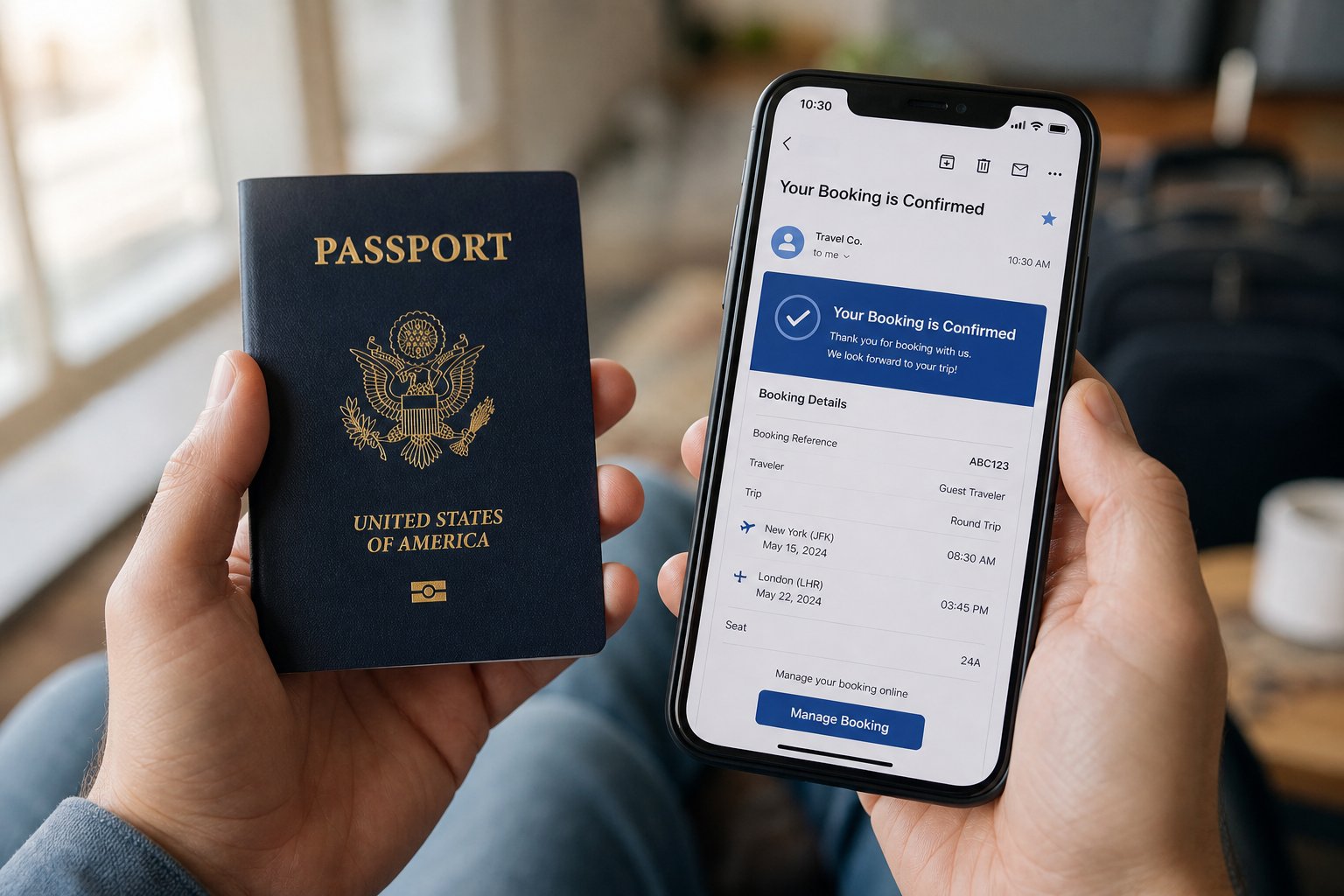
Verifying and Correcting Your Name Before You Fly
How to Compare Your Ticket Name Against Your Passport
Which Discrepancies Actually Cause Boarding Problems
Type of Discrepancy
Risk Level
Likely Outcome
Extra space in given name (XIAO MING vs XIAOMING)
Low
Usually accepted; systems often ignore spaces during matching
Hyphen in given name (XIAO-MING vs XIAOMING)
Low
Generally tolerated; treated as equivalent in most GDS systems
Reversed surname and given name
High
Will likely be flagged; may result in denied boarding
Wrong characters or misspelling (WAMG instead of WANG)
High
Requires correction; will not pass automated matching
English name instead of pinyin (DAVID instead of XIAOMING)
Critical
Completely different identity; boarding denied
Missing given name (only surname on ticket)
High
Incomplete record; check-in system will reject
Title appended to name (WANG/XIAOMING MR)
Low
Normal system behavior; title codes are stripped during matching
Steps to Correct a Name Error on Your Ticket
Always book using exactly what appears in your passport's Machine-Readable Zone, regardless of your preferred English spelling. The MRZ is the single source of truth that every airline system checks against at the gate.
Frequently Asked Questions About Chinese Name Airline Ticket Format
1. How should I enter my Chinese name when booking a flight online?
2. Does a space in my given name on the airline ticket cause problems at check-in?
3. Can I use my English name instead of pinyin when booking a flight?
4. What should I do if my passport has no given name and only shows a surname?
5. How do I correct a name error on my airline ticket after booking?